NCC digital construction for infra – StreamBIM Day Oslo 2025

目次

The StreamBIM Teamの写真
StreamBIMチーム

Experiences from no-drawings, all-digital production at an infrastructure project in Western Norway

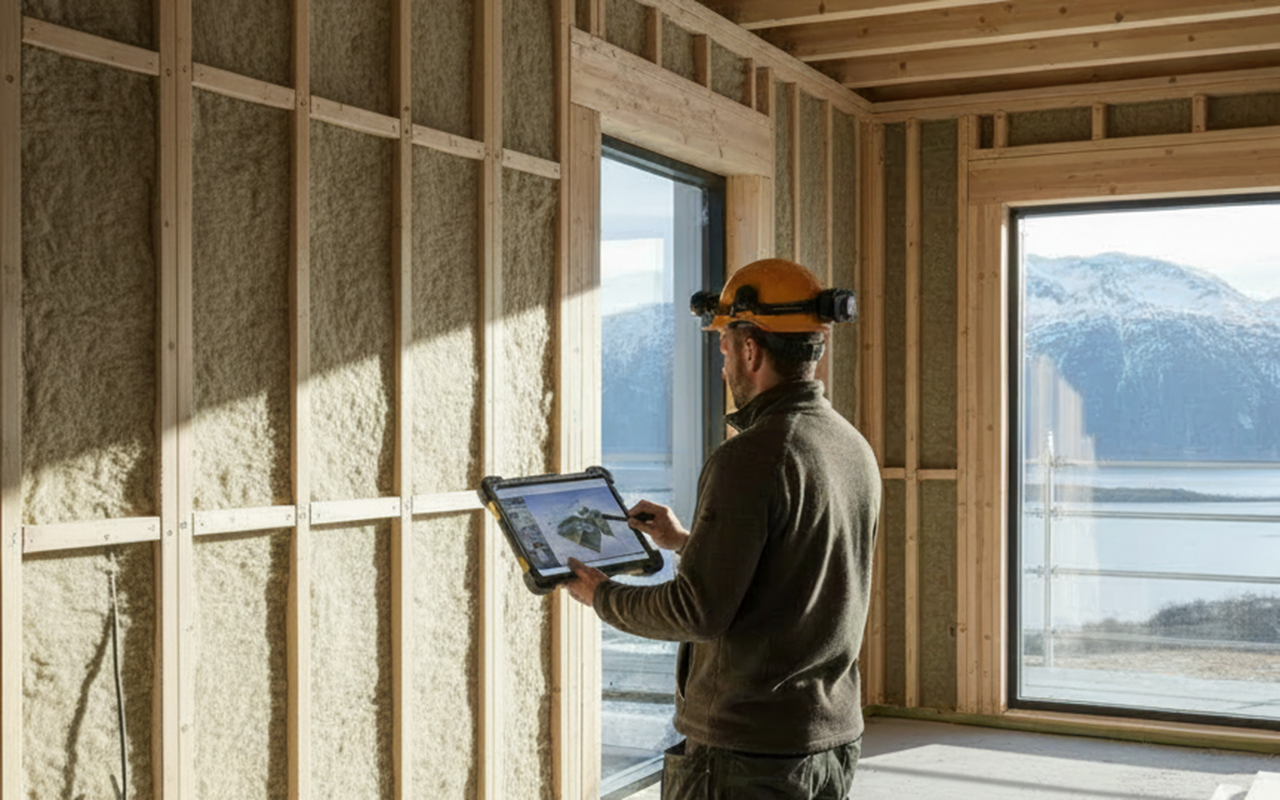
Nordic GC NCC’s adoption of StreamBIM as a company-wide site tool is part of a broader strategic goal to become a fully data-informed company. With around 20 initiatives supporting this goal, NCC identified the need for a common, robust digital tool for construction sites. This initiative is known internally as NCC Field, which is implemented using StreamBIM as the standard platform across projects.

A key initiative within this strategy is Digital Construction Sites (DCS), aiming to standardize how data, models, documentation, and workflows are handled on all NCC construction projects.

The Ålesund project served as a three-year StreamBIM pilot, allowing NCC to test functionality in real production, provide feedback, and influence StreamBIM’s product roadmap. It was also the first BIM project for NCC’s tunnel department, making StreamBIM a unifying platform across disciplines.

Knut Rune Brugrand

BIM coordinator, NCC Civil West Norway

Knut Rune has 10 years of experience with working with BIM at NCC, including three drawingless projects as QA (Quality Assurance) Manager

収録日:2025年10月30日 

言語ノルウェー語

字幕日本語 

キーポイント

How StreamBIM is used in practice

StreamBIM Capture – issue and case management

  • Used for deviations, HSE cases, RUHs (incident reports), model issues, and meeting follow-ups

  • Issues are:

    • Registered directly on models or orthophotos

    • Assigned to responsible parties (e.g. consultants)

    • Fully traceable with photos, history, and status

  • Visual map-based overview (orthophotos) shows:

    • Open vs. closed cases

    • Direct navigation from map to case

  • Replaces email-based workflows with structured collaboration

Model-based work packages and views

  • StreamBIM communicates the current work basis to the site:

    • Always updated models and drawings

    • Eliminates outdated paper drawings

  • Custom model views are created for production:

    • Construction stages (e.g. bridge deck casting)

    • Discipline-specific views (e.g. bottom reinforcement only)

    • Reduced “noise” for skilled workers

  • Advanced filtering based on:

    • Object properties

    • Position numbers

    • Consultant comments (color-coded)

  • Goal: maximize production time, minimize searching

2D drawings integrated with 3D

  • StreamBIM Documents allows use of 2D PDFs for non-BIM or hybrid projects

  • PDFs can be:

    • Positioned correctly in 2D space

    • Linked to 3D objects

  • Clicking an object in 3D highlights the relevant drawing in 2D

  • Measurements can be taken directly in 2D

Point clouds and orthophotos

One of the strongest features highlighted:

  • Frequent use of updated orthophotos and point clouds

  • Avoids reliance on outdated satellite imagery

  • Enables:

    • Accurate understanding of current site conditions

    • Better planning and risk assessment (e.g. traffic, hazards)

  • Models overlaid on point clouds provide:

    • Clear geographic context

    • Improved execution planning

  • Object data (tags, properties) is displayed directly on orthophotos and updates automatically when models change

StreamBIM Checklists linked to model objects

  • Works for both model-based and 2D projects

  • Checklists are:

    • Automatically generated based on rules

    • Color-coded by status (not started / in progress / completed)

  • Users can:

    • Click objects directly in the model to access checklists

    • Use GPS on mobile/tablet to locate the correct object on site

  • Pre-filled data is extracted from model properties, reducing manual input

  • Used for:

    • Quality control

    • HSE rounds

    • Deviations

    • Follow-up cases linked to Capture

HSE and deviations

  • Safety and environmental rounds performed via checklists

  • Findings handled in Capture for full traceability

  • Deviations are linked directly to model objects

  • Ensures that future work accounts for known deviations and approved changes

Revision control

  • Detects changes between model revisions

  • Highlights:

    • Changed objects

    • Modified properties

  • Full revision history available per object throughout the project lifecycle

  • Change lists can be exported for documentation and follow-up


Power BI dashboards

  • Integrated dashboards for:

    • Checklist status

    • Progress tracking

    • Discipline-specific overviews (e.g. VA, groundwork, tunnel)

  • Automatically updated from StreamBIM

  • Supports management and production follow-up

  • Easy navigation from dashboard directly into StreamBIM objects and checklists


Benefits experienced on the project

  • All documentation linked directly to model objects

  • One unified tool for production (replacing multiple systems)

  • Strong traceability and transparency

  • Always up-to-date work basis on PC, tablet, and mobile

  • Powerful visualisation combining models, orthophotos, and point clouds

  • Improved collaboration between contractor, designer, and client

Lessons learned and recommendations

  • Digital workflows are essential on large projects

  • Manual processes (email, phone, spreadsheets) do not scale

  • StreamBIM enables efficient collaboration and quality control

  • Mobility and user friendliness are key to adoption on site

  • Strong recommendation to:

    • Establish template projects

    • Standardize views, workflows, and structures early

StreamBIM has proven to be a comprehensive, production-oriented platform that supports NCC’s ambition to become data-informed, improves quality assurance, enhances collaboration, and significantly streamlines execution on complex infrastructure projects.

StreamBIMが御社のプロジェクトにどのようなメリットをもたらすかご興味のある方は、以下のリンクをご覧いただくか、このページ下部のお問い合わせフォームからご連絡ください!